
Real project work
Assignments
Place project work in the course, collect public GitHub submissions, and keep review and feedback with the student record.
How it fits into the course
Assignments connect the course plan to project work. Instructions and deadlines live in Codington while the repository remains the source of truth for code, tests, and development history.
Students submit a public GitHub repository together with the relevant branch and commit. Teachers can review the submitted context, see GitHub check status when available, and record feedback and a grade.
What it helps you do
Use real development tools
Students work in Git and GitHub instead of uploading an isolated code file to an LMS.
Review a specific submission
The submitted branch and commit make it clearer which version of the work should be reviewed.
Keep the course record together
Submission status, repository context, feedback, and grades stay connected to the assignment.
See the workflow
Follow the experience from one view to the next.
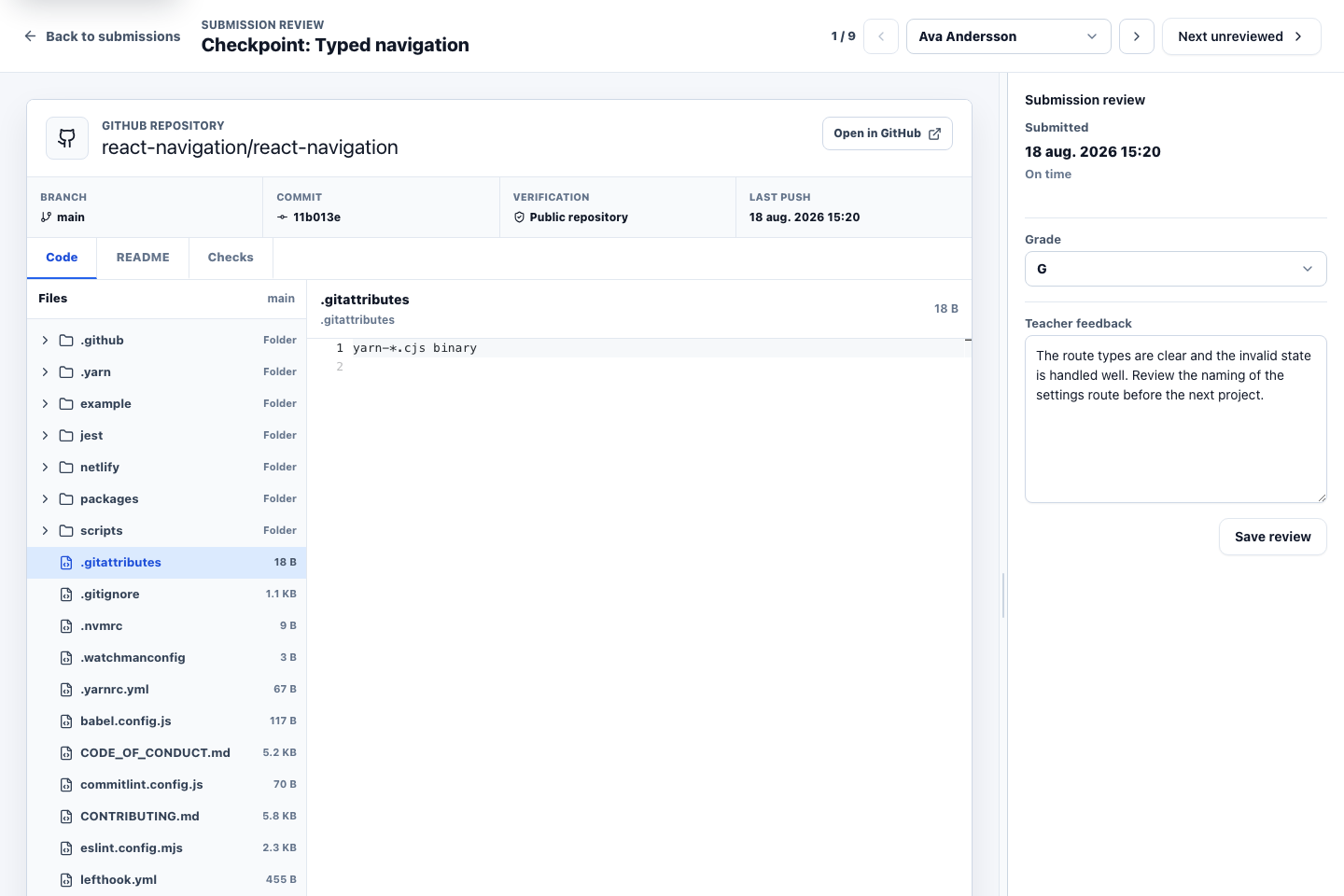
02 · Teacher view
Review the submitted repository and version
The teacher can inspect repository context for the submitted branch and commit while keeping feedback and the result beside the work.
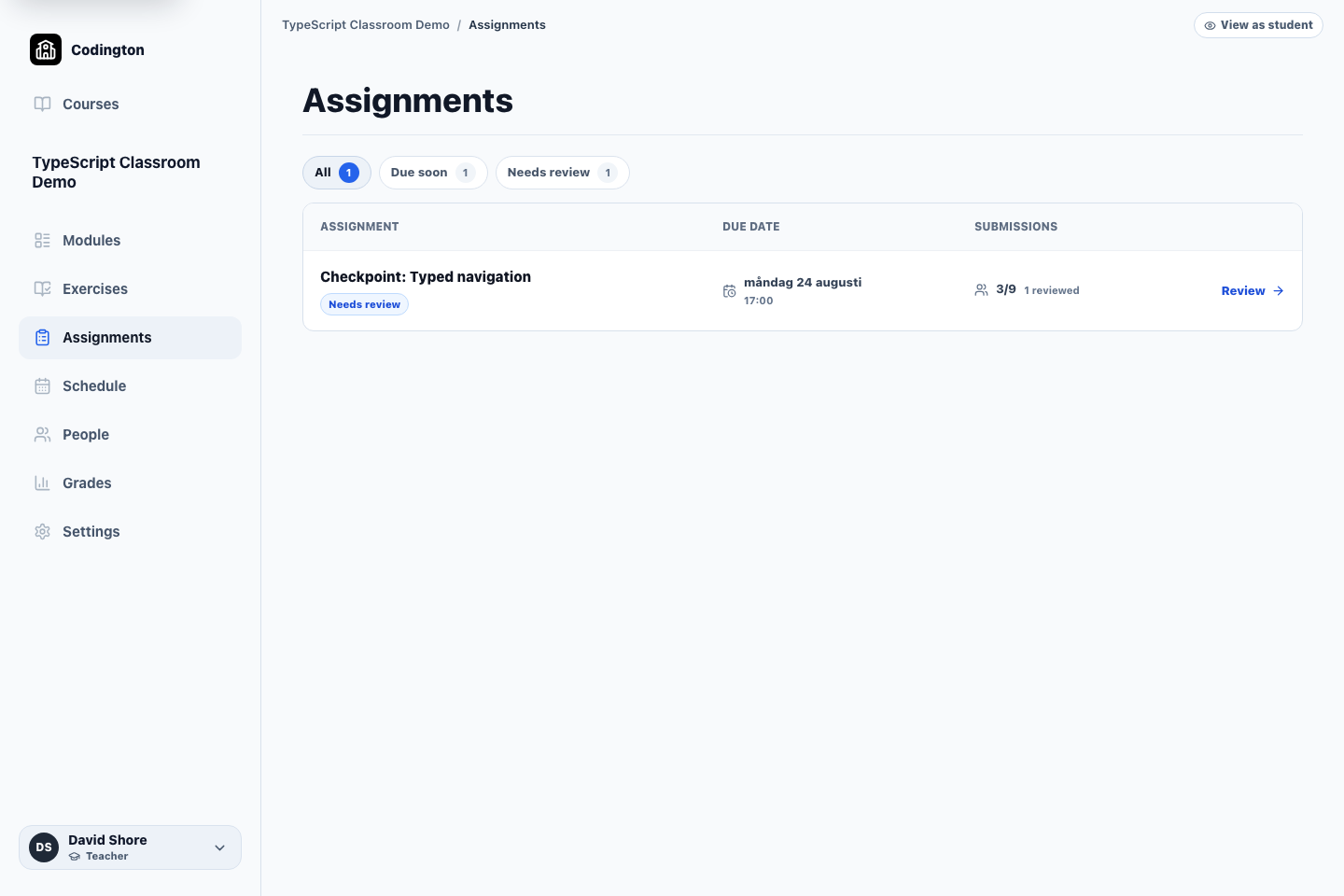
03 · Teacher view
Find the work that needs attention
The assignment list summarizes due dates, submissions, reviewed work, and the next review action across the course.
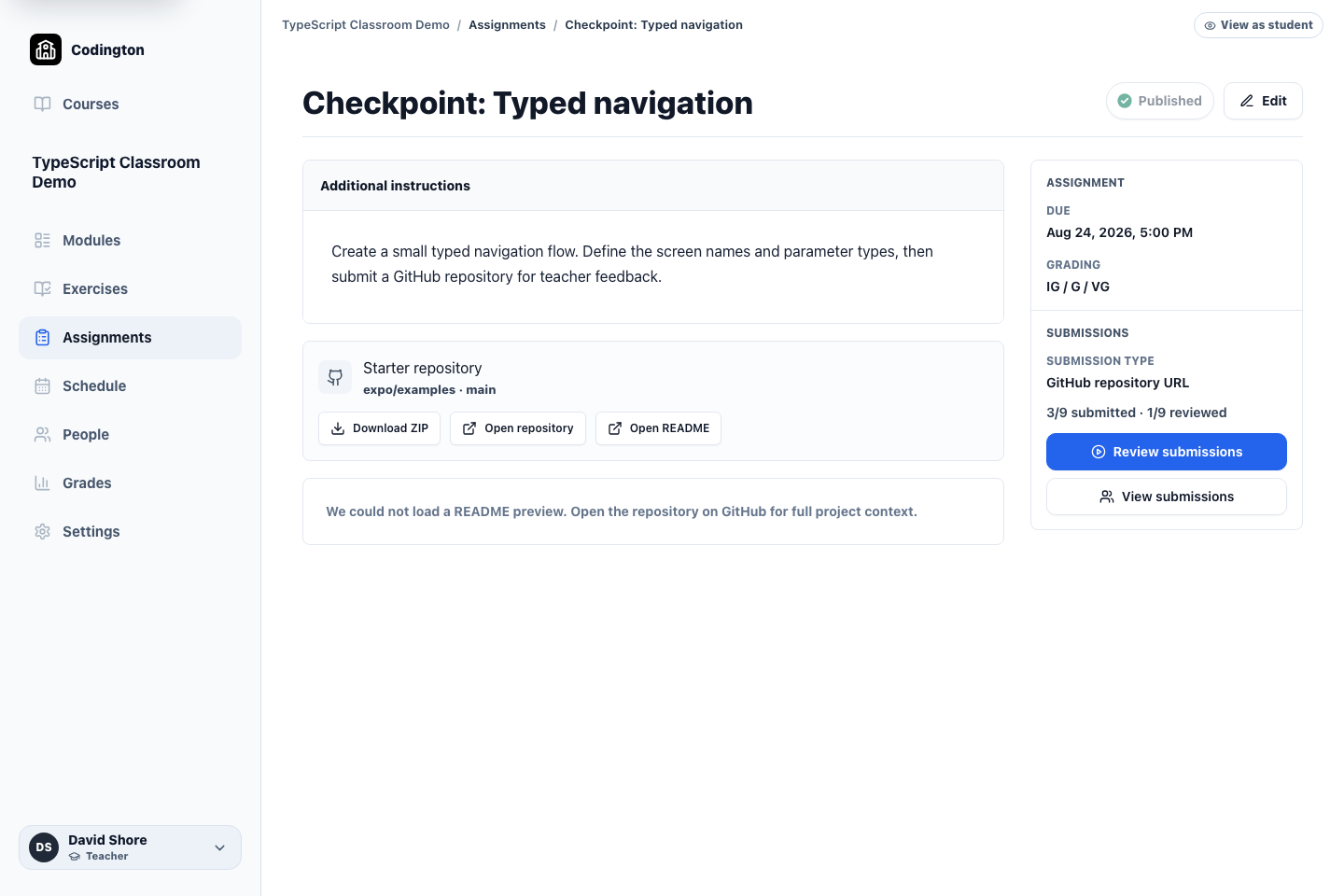
04 · Teacher view
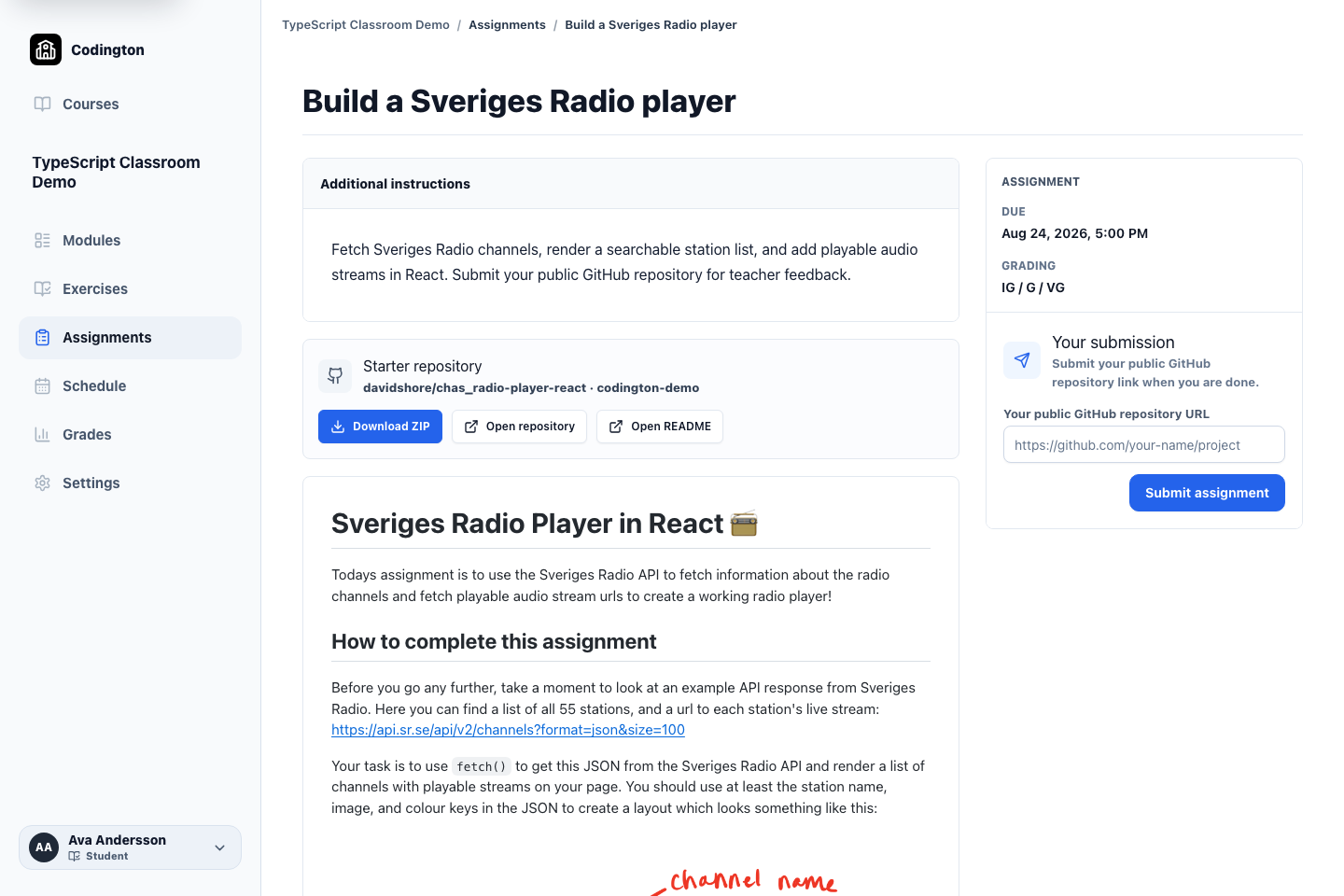
Keep the repository assignment in the course
Instructions, starter repository, dates, grading mode, and submission expectations stay attached to the course item.
05 · Student view
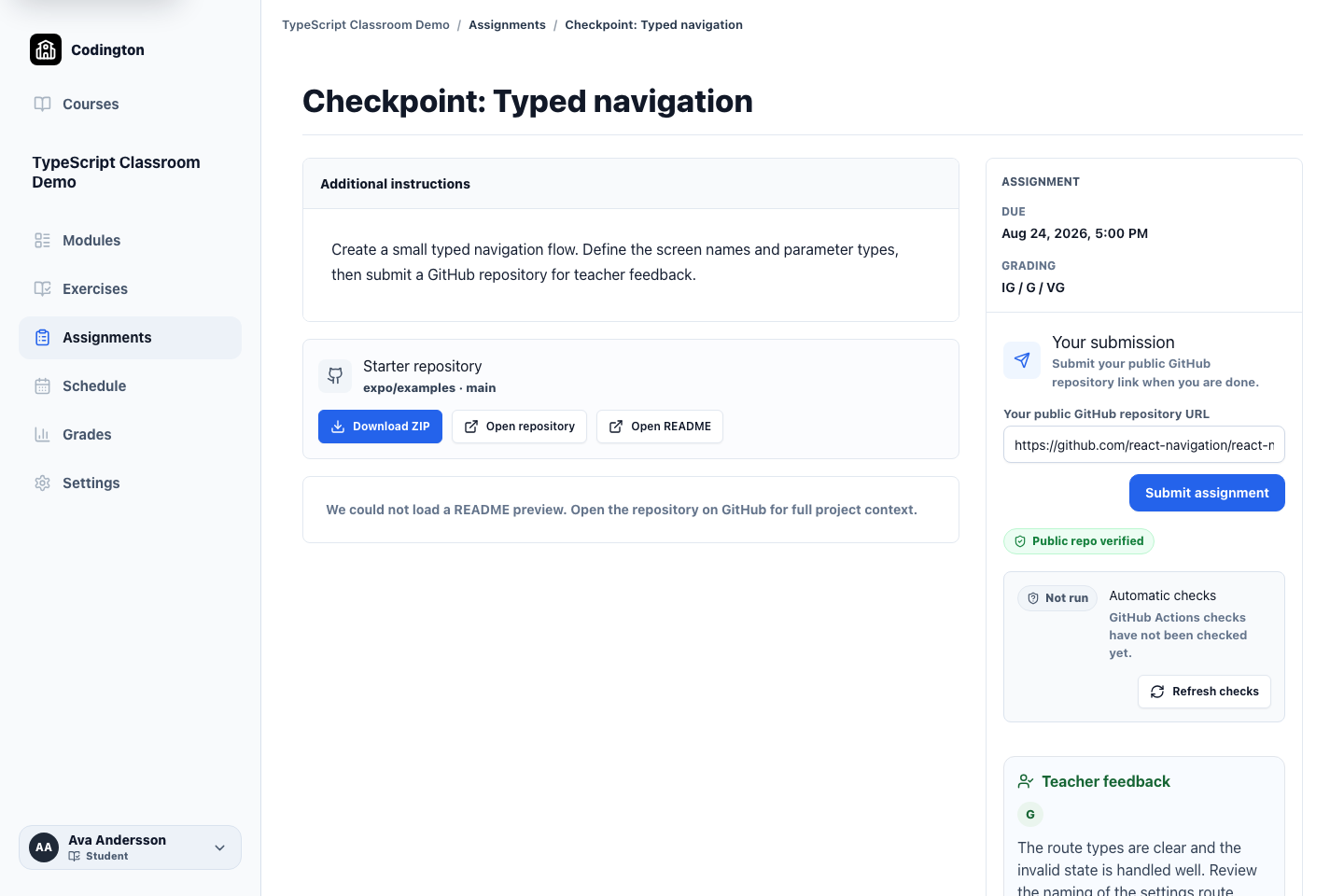
Submit a public repository and receive feedback
Students submit their repository link and return to the same page for verification status, teacher feedback, and their grade.
06 · Teacher view
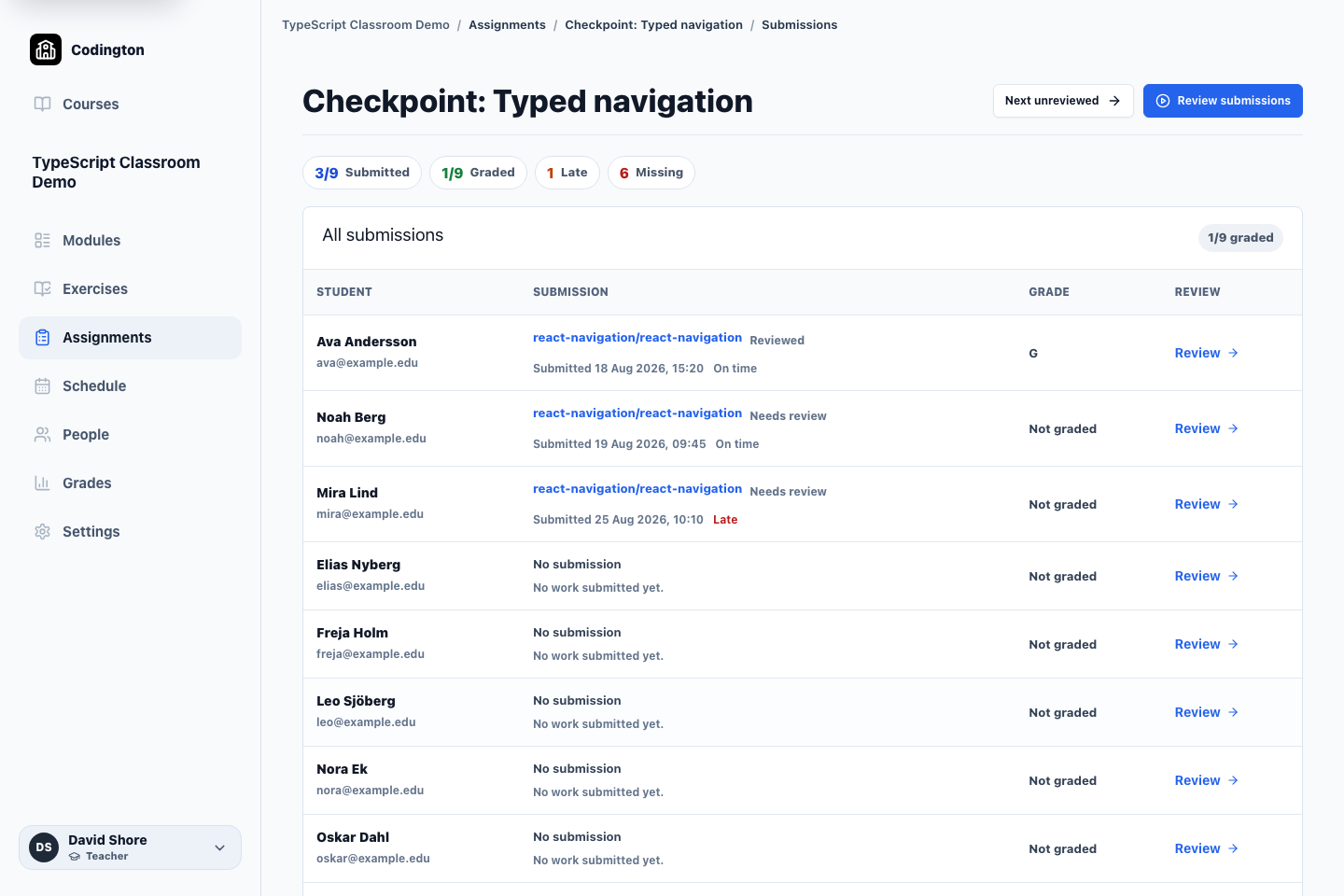
See the state of the whole class
The submissions overview separates reviewed, awaiting-review, late, and missing work before the teacher opens an individual review.
A typical workflow
- 1Create an assignment and add instructions, dates, and grading settings.
- 2Link the starter or reference repository information students need.
- 3Students work in GitHub and submit a public repository, branch, and commit.
- 4Review the submission, check available GitHub status information, and record feedback and a grade.
What students see
Students see the assignment in their course, follow the project instructions, work in GitHub, and submit the repository details for review.
Current boundaries
- Codington currently supports public GitHub repositories only.
- Codington does not create repositories, manage GitHub organizations, or create group repositories.
- GitHub check-status visibility is not the same as complete Codington-controlled autograding.
Related guides
Free plan
Ready to try Codington with your course?
Create a teaching workspace for one course and up to 30 students. No credit card required.
Create your free workspace