
Course timing
Schedule
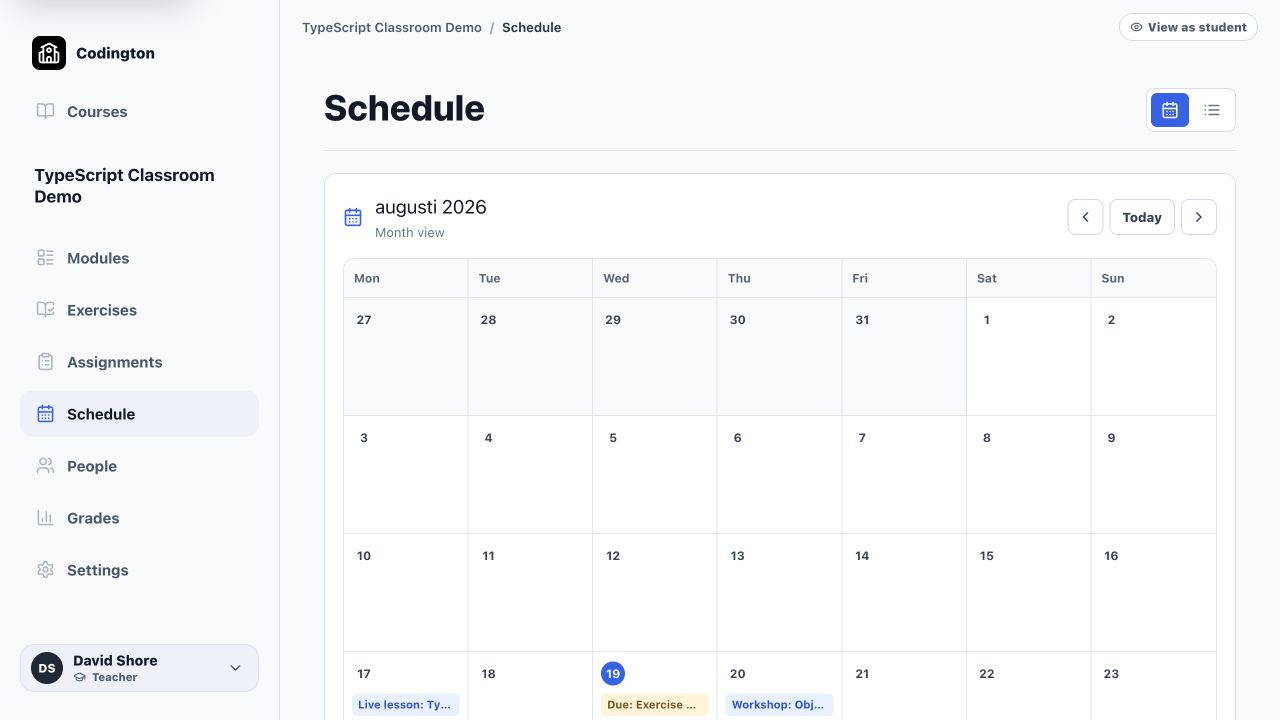
See lessons, workshops, exercise deadlines, and assignment due dates together in the course calendar.
How it fits into the course
The Schedule turns dates already attached to course work into a shared course overview. Teachers can see scheduled sessions and deadlines without rebuilding the same plan in a separate document.
Calendar and list views help teachers move between a monthly overview and the individual course items students need to open.
What it helps you do
See the rhythm of the course
View live teaching, workshops, practice deadlines, and project deadlines together.
Keep dates connected to work
Schedule entries lead back to the relevant lesson, exercise set, or assignment.
Spot crowded weeks
A monthly view makes deadline clusters easier to notice before they reach students.
A typical workflow
- 1Add lesson times and due dates to items in the course modules.
- 2Open Schedule to review the month or list of upcoming work.
- 3Adjust dates on the relevant course item when the plan changes.
- 4Check the student view before publishing the updated course plan.
What students see
Students see published lessons and deadlines as part of the course schedule and can open the related work from the course workspace.
Current boundaries
- Codington does not currently provide Canvas/LTI integration.
- External calendar synchronization is not part of the current workflow.
Related guides
Free plan
Ready to try Codington with your course?
Create a teaching workspace for one course and up to 30 students. No credit card required.
Create your free workspace